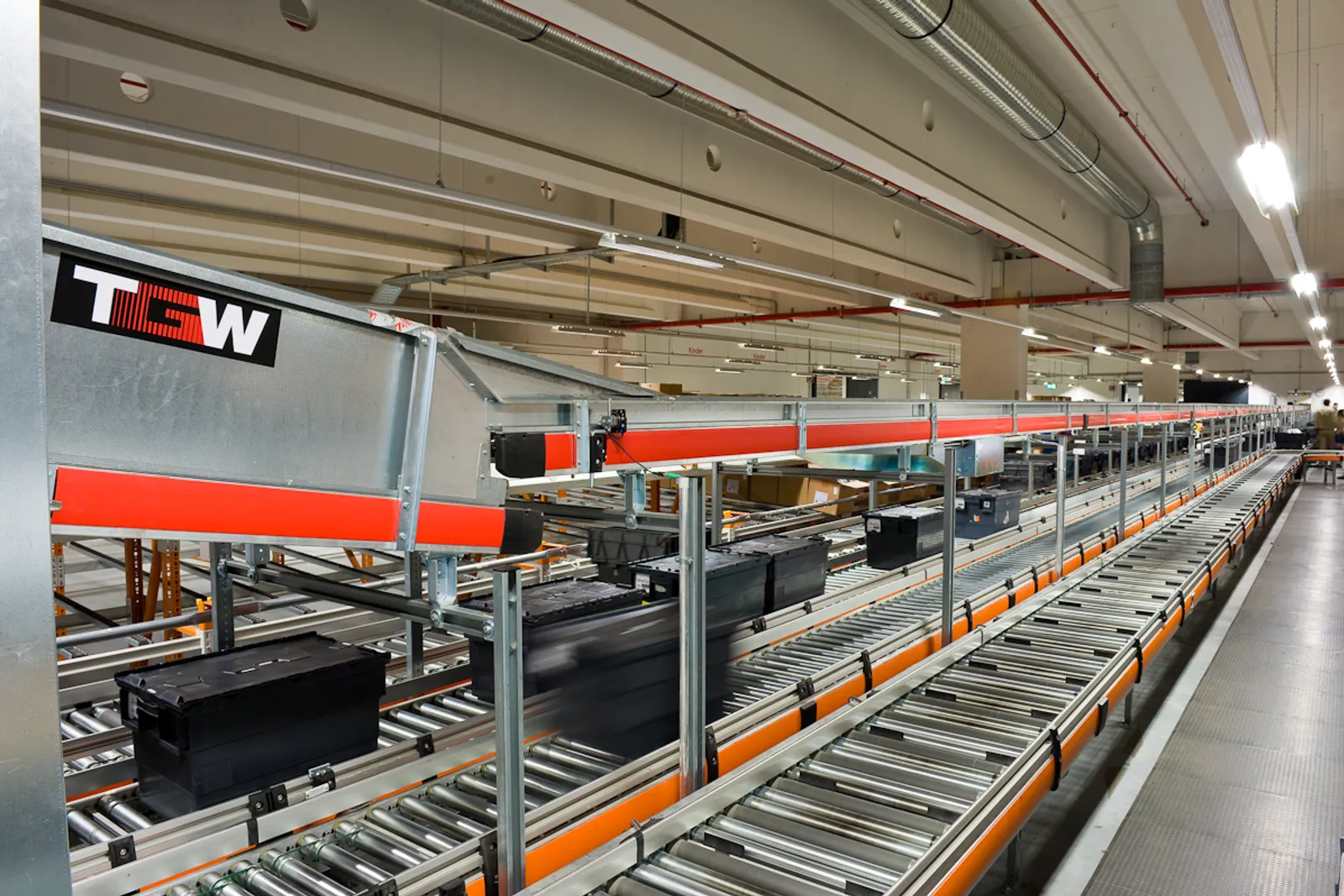

Totes and cartons moving along a roller conveyor in a distribution facility
All machine vision applications
Machine Vision · Counting

Automatic Counting Systems with Machine Vision

An automatic counting system counts items as they move through your plant, on a conveyor, into a pack or out of the door, and records every count. We build it with a camera, a sensor or a weighing station, whichever counts your items most reliably, and connect the result to your PLC, ERP or reports.

Automatic Counting at a glance

What it counts
Parts and fasteners, garments and cut pieces, cartons and bags, bottles and caps, tablets, seeds and packs.
How it counts
Machine vision for mixed, overlapping or detailed items; photoelectric sensors for singulated items; count-by-weight for small identical parts.
Where it sits
On the production line, at packing, at goods-in or at dispatch.
What you get
A count per batch, pack or shift, an image record where vision is used, and data sent to your PLC, ERP or reports.
Definition

What is an automatic counting system?

An automatic counting system counts products or parts without a person doing it by hand. It sits at a fixed point in the process, counts every item that passes or every item in a pack, and records the result against a batch, order or shift.

There are three main ways to count, and the right one depends on the items. Machine vision uses a camera and software to find and count each item, and can tell items apart, count when they touch, and check them at the same time. Photoelectric sensors count items that pass one at a time, simply and cheaply. Count-by-weight divides the weight of a batch by the average weight of one piece, which suits small identical parts.

An honest system design starts with the items, not the technology. Where a sensor or a scale will count your product reliably, we will recommend it over a camera.

Hands counting tablets on a counting tray with a spatula
Counting by hand on a tray. It works for small numbers, but at production volumes it is slow, tiring and hard to keep accurate.
The problem

Why manual counting causes problems

  • Hand counts drift over a shift, and short or over packs reach customers.
  • Counting by hand ties up people who could be doing skilled work.
  • Disputes with buyers or suppliers are hard to settle without a record.
  • Overlapping, mixed or tangled items are easy to miscount by eye.
  • Without live counts, production figures arrive late and are hard to trust.
How it works

How automatic counting works, step by step

STEP 1FeedSTEP 2SenseSTEP 3CountSTEP 4ActSTEP 5Record
  1. STEP 1

    Present the items

    Items arrive on a conveyor, through a vibratory or belt feeder, in a tray or as a stack. Where needed the feed is designed to separate them, which makes counting more reliable.

  2. STEP 2

    Capture each item

    A camera images the flow or the pack, a photoelectric sensor detects each item passing, or a load cell weighs the batch.

  3. STEP 3

    Count and check

    Software counts every item. With vision, the same image can also check size, colour, orientation or damage, so counting and inspection happen together.

  4. STEP 4

    Act on the count

    At the target count the system can stop a feeder, switch a gate, trigger a bagger or flag a short pack for correction.

  5. STEP 5

    Record and report

    Counts are saved per batch, pack, order or shift, with images where vision is used, and sent to your PLC, ERP or production reports.

The technology

Methods that make it reliable

Blob and contour analysis

Classic image processing separates items from the background and counts each connected shape. It is fast and dependable when items contrast well with the belt or tray and do not overlap heavily.

Deep learning object detection

A trained model finds and counts each item even when items touch, overlap, vary in shape or sit on a busy background. It suits soft goods such as garments, mixed parts and natural products.

Line-scan counting

A line-scan camera images a continuous stream of items on a fast conveyor, building one long image so no item is missed or counted twice between frames.

Photoelectric and through-beam sensing

A light beam counts each item that breaks it. Simple, quick and inexpensive, but only reliable when items pass one at a time with a gap between them.

Count-by-weight

A weighing station divides the batch weight by the average piece weight. It suits small identical parts, and its accuracy depends on how consistent the piece weight is. Automatic weighing instruments are covered by OIML R 51.

Capabilities

What it can check

  • Pieces per pack or bundle
  • Cartons and bags at dispatch
  • Parts per tray or kit
  • Bottles, caps and closures
  • Tablets and capsules
  • Garments and cut panels
  • Fasteners and small parts
  • Missing items in a set
  • Damaged or wrong items during the count
Industries

Where it is used

Apparel and garment manufacturingElectrical and electronic componentsPharmaceuticals and healthcareFood and beverage packingHardware and fastenersLogistics and dispatch
Sample projects

How a project is scoped

Two example project scopes showing how the station, the checks and the outputs are defined. Every plant is different, so the final configuration is confirmed after a feasibility study on your own parts.

Example scope · Apparel

Garment and cut panel counting at packing

The situation: A garment factory counts finished pieces and cut panels by hand at packing and bundling, and short or over counts lead to buyer queries and re-work.

Station
Overhead camera at the packing table or on the conveyor before cartoning
Counts
Pieces per carton or bundle, against the order or bundle ticket
Output
Count confirmed on screen, short or over counts flagged before sealing
Extra
Count and image saved per carton for buyer queries
Example scope · Small parts

Counting small parts into packs

The situation: A components manufacturer packs small parts in fixed quantities and counts them by hand or by approximate weight.

Station
Vibratory feeder with a camera counting parts as they fall into the pack
Counts
Parts per pack, stopping the feeder at the target quantity
Output
Each pack counted, wrong counts rejected automatically
Extra
Damaged or wrong parts flagged during the count
What is in the system

Typical components

  • Area-scan or line-scan cameras
  • Backlight or diffuse lighting
  • Photoelectric and through-beam sensors
  • Load cells and weighing electronics
  • Vibratory or belt feeders
  • Industrial PC or smart camera
  • PLC, gate or feeder control
  • Count records and reports

Cameras and lenses, supplied locally

Industrial cameras, lenses, line-scan cameras and code readers are available through our machine vision catalog, quoted with delivery to Sri Lanka. We select the hardware for your application during the feasibility study.

Browse the hardware catalog
How we work

Proven on your parts before you commit

Every product, surface and line behaves differently under a camera, so every project starts with evidence from your own material.

  1. PHASE 1

    Discovery

    A site visit to understand your product, line speed, quality criteria and where the check should sit.

  2. PHASE 2

    Feasibility study

    We image your good and defective samples and show what the system can reliably detect. This is the go or no-go.

  3. PHASE 3

    Pilot station

    One station on one line, running beside your inspectors until results match and your team trusts them.

  4. PHASE 4

    Rollout and support

    More lines, integration with your PLC and systems, and local support from our Sri Lankan engineering team.

FAQ

Automatic Counting: common questions

Which is better for counting: a camera, a sensor or a scale?

+

It depends on the items. Photoelectric sensors are cheapest when items pass one at a time with a gap. Count-by-weight suits small identical parts with a consistent weight. Machine vision is the choice when items touch or overlap, vary in shape, or need checking as well as counting. We recommend whichever counts your product most reliably.

Can it count items that touch or overlap?

+

Yes, within limits. Deep learning object detection can separate touching and partly overlapping items. Heavy stacking or items fully hidden behind others cannot be counted from one view, so the feed is often designed to spread items out before counting.

Can it count garments and other soft items?

+

Yes. Soft items change shape, so deep learning detection is usually used rather than fixed rules. Counting can be done on a conveyor, at a packing table or from an overhead camera at bundling.

How accurate is automatic counting?

+

Accuracy depends mainly on how the items are presented. Well-separated items on a contrasting background are counted very reliably; touching, overlapping or tangled items are harder. We assess the items and the line first, and agree the accuracy target with you before a system is built.

Can it send counts to our PLC or ERP?

+

Yes. Counts can be sent to a PLC over digital I/O, Modbus TCP or OPC UA, and to ERP or production systems as reports or data exports, so the count is recorded against each batch or order.

Can it count and inspect at the same time?

+

With machine vision, yes. The same image used for counting can check size, colour, orientation or damage, so wrong or defective items are flagged during the count rather than afterwards.

Send us a few sample parts

Tell us what you need to check and share some good and faulty samples. We will show you what a camera can reliably see before you commit to anything.

Photographs show representative plants and equipment, not Cerox installations or client sites. Diagrams by Cerox Engineering. Photo credits, via Wikimedia Commons: Accumulation roller conveyor for cartons and totes by Kay-Uwe Rosseburg, CC BY 3.0; Counting tablets by hand by Carter Jake, Public domain.