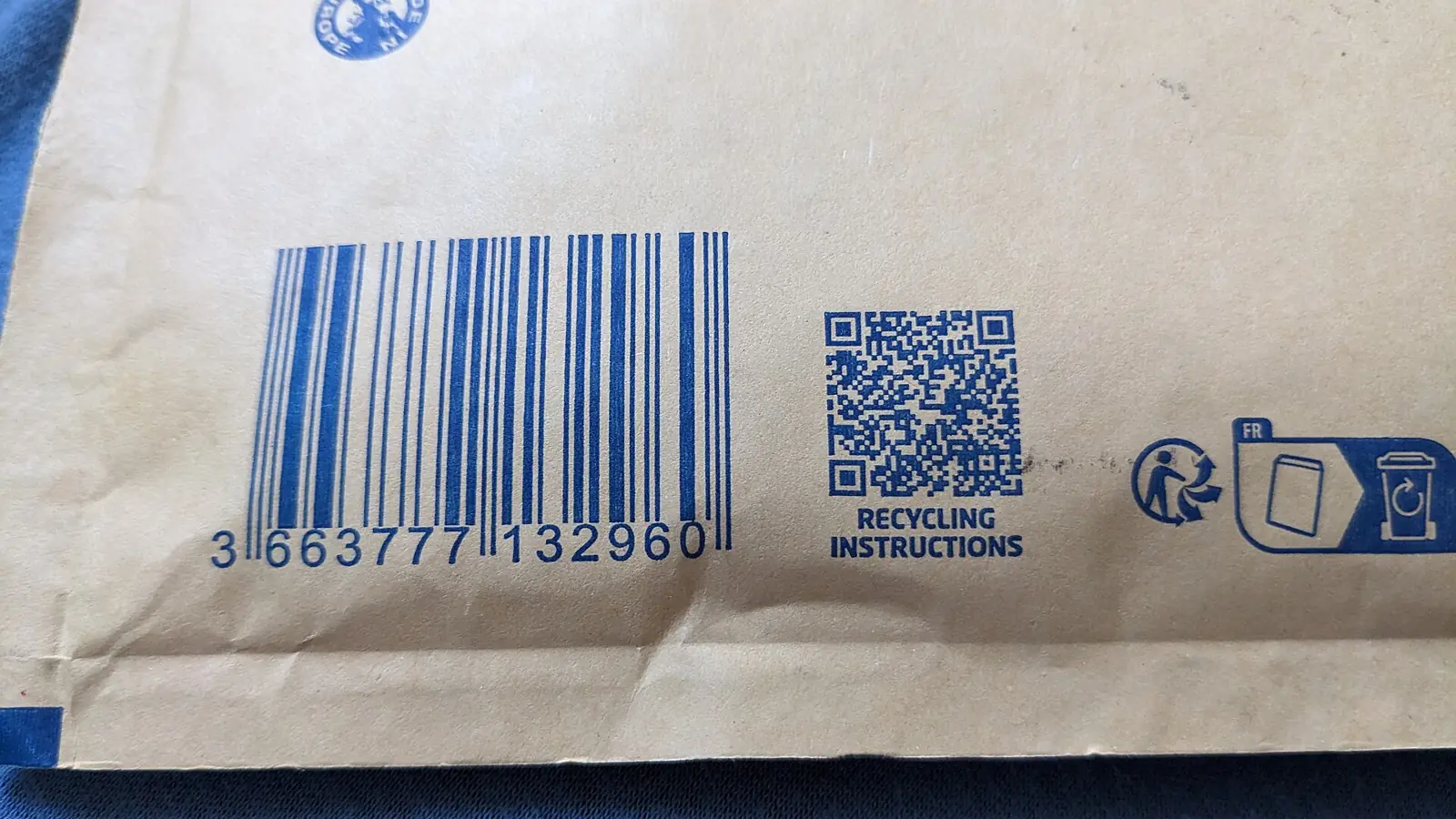

A linear barcode and a QR code printed on product packaging
All machine vision applications
Machine Vision · Traceability

Barcode Reading, 2D Code Verification and OCR

Code reading systems use industrial cameras to read every barcode, QR code, Data Matrix and printed date or lot code on the line, check it is correct and legible, and reject anything that is not. Every read is logged, so you can trace any unit back to its batch.

Barcode, 2D Code & OCR at a glance

What it reads
EAN/UPC, Code 128, GS1-128, QR, Data Matrix, direct part marks, and printed text by OCR.
What it checks
Presence, correct content against the batch, print quality grade, and date and lot code accuracy.
Standards
Print quality graded to ISO/IEC 15416 (linear), ISO/IEC 15415 (2D) and ISO/IEC 29158 (direct part marks).
What you get
Automatic rejection of bad codes, and a searchable record of every code read, per batch and shift.
Definition

What is code reading and verification?

Code reading means decoding the barcode or 2D code on every product at line speed. Code verification goes further: it checks the code matches what should be printed for this batch and grades how well it is printed, so that retailers, distributors and customers can scan it too.

OCR (optical character recognition) reads printed text such as best-before dates, lot numbers and prices. OCV (optical character verification) checks that text against the expected value. Together they stop the most common and most expensive packaging error: the wrong date or lot on the pack.

Pharmaceutical blister pack next to its printed carton
Pharmaceutical packs combine printed codes, lot numbers and expiry dates, each of which must be right on every unit.
The problem

Why code errors are expensive

  • A wrong or missing date or lot code can force a recall of an entire batch.
  • Retailers and distributors reject deliveries whose barcodes do not scan.
  • Printers drift: ink runs low, heads clog, and print quality falls gradually.
  • Changeovers are a classic moment for the old code to stay in the printer.
  • Without a record of each read, tracing a complaint back to a batch is guesswork.
How it works

How barcode, 2d code & ocr works, step by step

STEP 1TriggerSTEP 2ReadSTEP 3VerifySTEP 4RejectSTEP 5Log
  1. STEP 1

    Detect the product

    A sensor or the camera itself detects each product as it passes on the conveyor.

  2. STEP 2

    Capture and decode

    A fixed-mount reader or camera captures the code or text, even at an angle, on curved surfaces or on shiny film.

  3. STEP 3

    Compare and grade

    The content is compared with the expected batch data, and print quality is graded so that declining print is caught early.

  4. STEP 4

    Reject or stop

    A failed read triggers a rejector, or stops the line after consecutive failures so the printer can be fixed.

  5. STEP 5

    Record everything

    Every read, grade and image is saved against batch, line and time for traceability and audits.

The technology

Methods that make it reliable

Fixed-mount code readers

Compact readers with built-in lighting and decoding, ideal for high-speed barcode and 2D code reading on conveyors.

Print quality grading

ISO/IEC 15416 and 15415 grade codes A to F on contrast, modulation, decodability and damage. Tracking the grade catches a failing printer before codes become unreadable.

OCR and OCV

Reads printed dates, lot numbers and prices, including dot-matrix inkjet and laser-marked text, and verifies them against the expected value.

Direct part marking

Laser-etched or dot-peened codes on metal and plastic parts are read with lighting designed for low-contrast marks, and graded to ISO/IEC 29158.

Capabilities

What it can check

  • Barcode present and readable
  • Code matches the batch
  • Print quality grade
  • Best-before and expiry dates
  • Lot and batch numbers
  • Price and weight labels
  • Direct part marks
  • Aggregation of units to cartons
  • Duplicate serial numbers
Industries

Where it is used

Food and beveragePharmaceuticalsFMCG and cosmeticsAutomotive componentsElectronicsLogistics and warehousing
Sample projects

How a project is scoped

Two example project scopes showing how the station, the checks and the outputs are defined. Every plant is different, so the final configuration is confirmed after a feasibility study on your own parts.

Example scope · Food packaging

Date and lot code verification after the inkjet printer

The situation: A snack producer prints dates on film and has had a recall scare after a changeover.

Station
Camera immediately after the inkjet coder on each packing line
Checks
Date and lot text by OCV against the active production order
Output
Reject of every wrong or unreadable code, line stop on repeats
Extra
Changeover check: the line will not start until the new code is confirmed
Example scope · Pharmaceuticals

Carton code grading and serial tracking

The situation: A pharmaceutical packer must prove every carton carries a readable, unique code.

Station
Reader at the cartoner outfeed
Checks
GS1 DataMatrix content, ISO/IEC 15415 grade, duplicate serials
Output
Reject of failures, record of every serial per batch
Extra
Carton to case aggregation for downstream traceability
What is in the system

Typical components

  • Fixed-mount barcode and 2D code readers
  • Area-scan cameras for OCR
  • Diffuse or dome lighting for shiny surfaces
  • Photoelectric trigger sensors
  • Air-jet or pusher rejectors
  • Traceability database and reports

Cameras and lenses, supplied locally

Industrial cameras, lenses, line-scan cameras and code readers are available through our machine vision catalog, quoted with delivery to Sri Lanka. We select the hardware for your application during the feasibility study.

Browse the hardware catalog
How we work

Proven on your parts before you commit

Every product, surface and line behaves differently under a camera, so every project starts with evidence from your own material.

  1. PHASE 1

    Discovery

    A site visit to understand your product, line speed, quality criteria and where the check should sit.

  2. PHASE 2

    Feasibility study

    We image your good and defective samples and show what the system can reliably detect. This is the go or no-go.

  3. PHASE 3

    Pilot station

    One station on one line, running beside your inspectors until results match and your team trusts them.

  4. PHASE 4

    Rollout and support

    More lines, integration with your PLC and systems, and local support from our Sri Lankan engineering team.

FAQ

Barcode, 2D Code & OCR: common questions

What is the difference between barcode reading and barcode verification?

+

Reading only decodes the code. Verification also grades its print quality against ISO/IEC 15416 for linear barcodes or ISO/IEC 15415 for 2D codes, so you know a code will scan reliably for your customers, not just on your own line.

Can a camera read the date printed by an inkjet coder?

+

Yes. OCR can read dot-matrix inkjet, thermal transfer and laser-marked text, and OCV confirms the text is exactly what should be printed for the current batch.

Which codes can be read?

+

Common linear codes such as EAN-13, UPC-A, Code 128 and GS1-128, 2D codes such as QR and Data Matrix including GS1 DataMatrix, and direct part marks laser-etched or dot-peened onto parts.

What happens when a code fails?

+

The failed unit is rejected automatically. If several fail in a row, the system can stop the line and alert the operator, because consecutive failures usually mean a printer problem or the wrong job loaded.

Can it work with our existing printers and conveyors?

+

Yes. Readers mount after the printer on the existing conveyor, take the expected code from your production system or the printer, and drive a rejector on the same line.

Send us a few sample parts

Tell us what you need to check and share some good and faulty samples. We will show you what a camera can reliably see before you commit to anything.

Photographs show representative plants and equipment, not Cerox installations or client sites. Diagrams by Cerox Engineering. Photo credits, via Wikimedia Commons: Barcode and QR code on packaging by Donald Trung Quoc Don, CC BY-SA 4.0; Blister pack by Retired electrician, CC0.